What is Internet
Learning Objectives
- Understand what the Internet is and how it connects computers worldwide.
- Learn how the Internet works — through wires, WiFi, and satellites.
- Know the different uses of the Internet in daily life.
- Identify things we need to use the Internet.
- Learn important Internet safety rules for children.
- Understand the advantages and disadvantages of the Internet.
Introduction — What is the Internet?
Imagine you want to talk to your cousin who lives in another city. You can call them on the phone. But what if you want to send them a picture, watch a video together, or play a game with them? That is where the Internet comes in!
The Internet is a very large network of computers connected to each other all around the world. It allows computers, phones, and tablets to share information with each other — no matter how far apart they are.
Think of the Internet like a giant invisible road that connects all the computers in the world. Just like roads help cars travel from one city to another, the Internet helps information travel from one computer to another.
How Does the Internet Work?
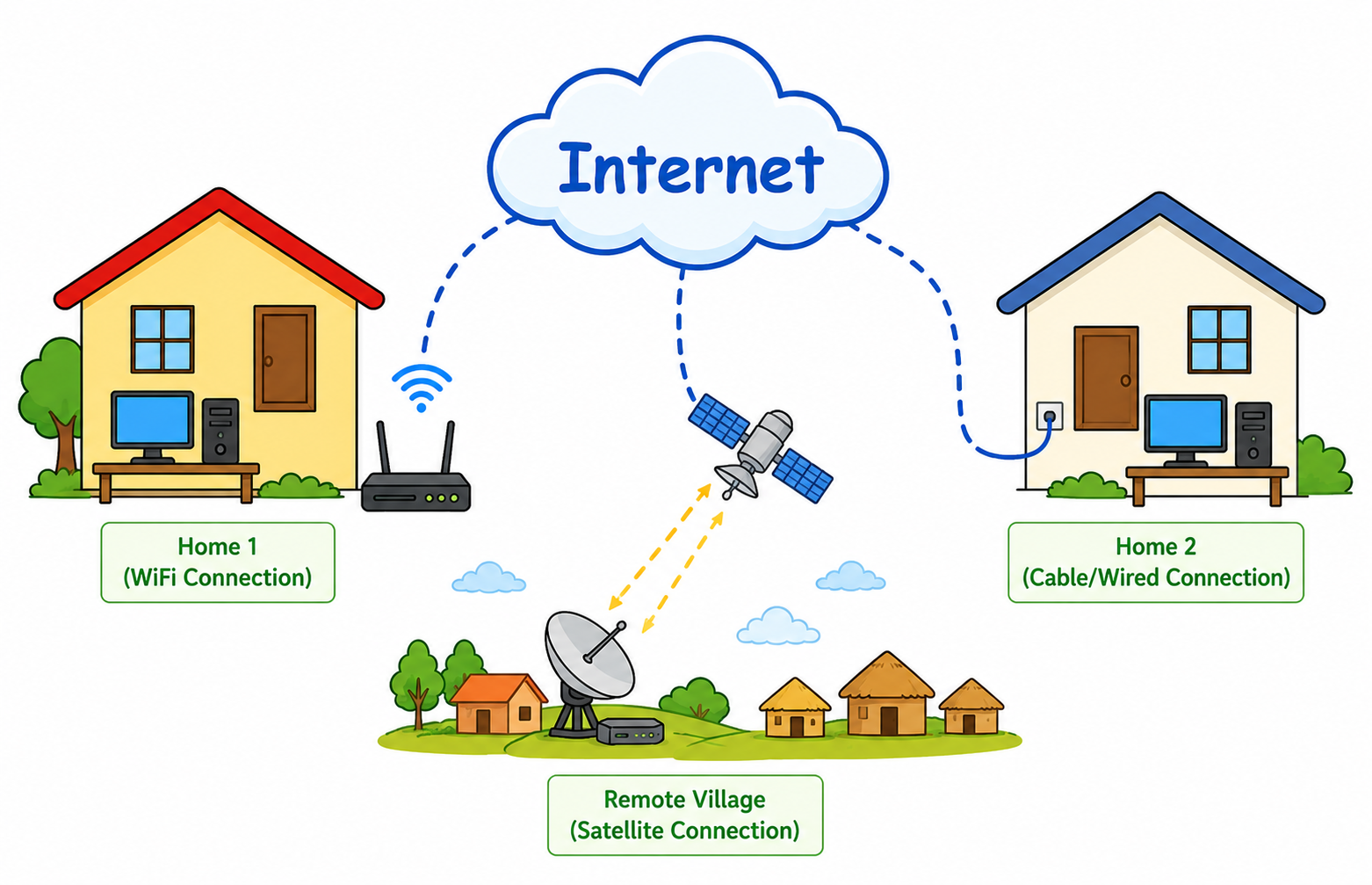
The Internet works by connecting millions of computers together so they can send and receive information. But how do they connect? There are three main ways:
| Connection Type | How it Works | Example |
|---|---|---|
| Wires / Cables | Computers are connected using special cables (like telephone wires or fibre optic cables) that carry information very fast | The broadband cable that comes to Meena's house from the telephone pole |
| WiFi (Wireless) | A WiFi router sends invisible radio signals through the air. Devices nearby can connect without any wire | Arjun connects his tablet to the WiFi at home to watch videos |
| Satellites | Satellites in space send and receive signals to connect computers in remote areas where cables cannot reach | A village in the mountains gets Internet through a satellite dish on the roof |
When Sita sends an email to her friend Priya:
1. Sita types the message on her computer and clicks "Send".
2. The message travels through the Internet (via wires, WiFi, or satellite).
3. It reaches Priya's computer in just a few seconds!
It is like sending a letter, but instead of taking days, it takes only seconds.
Uses of the Internet
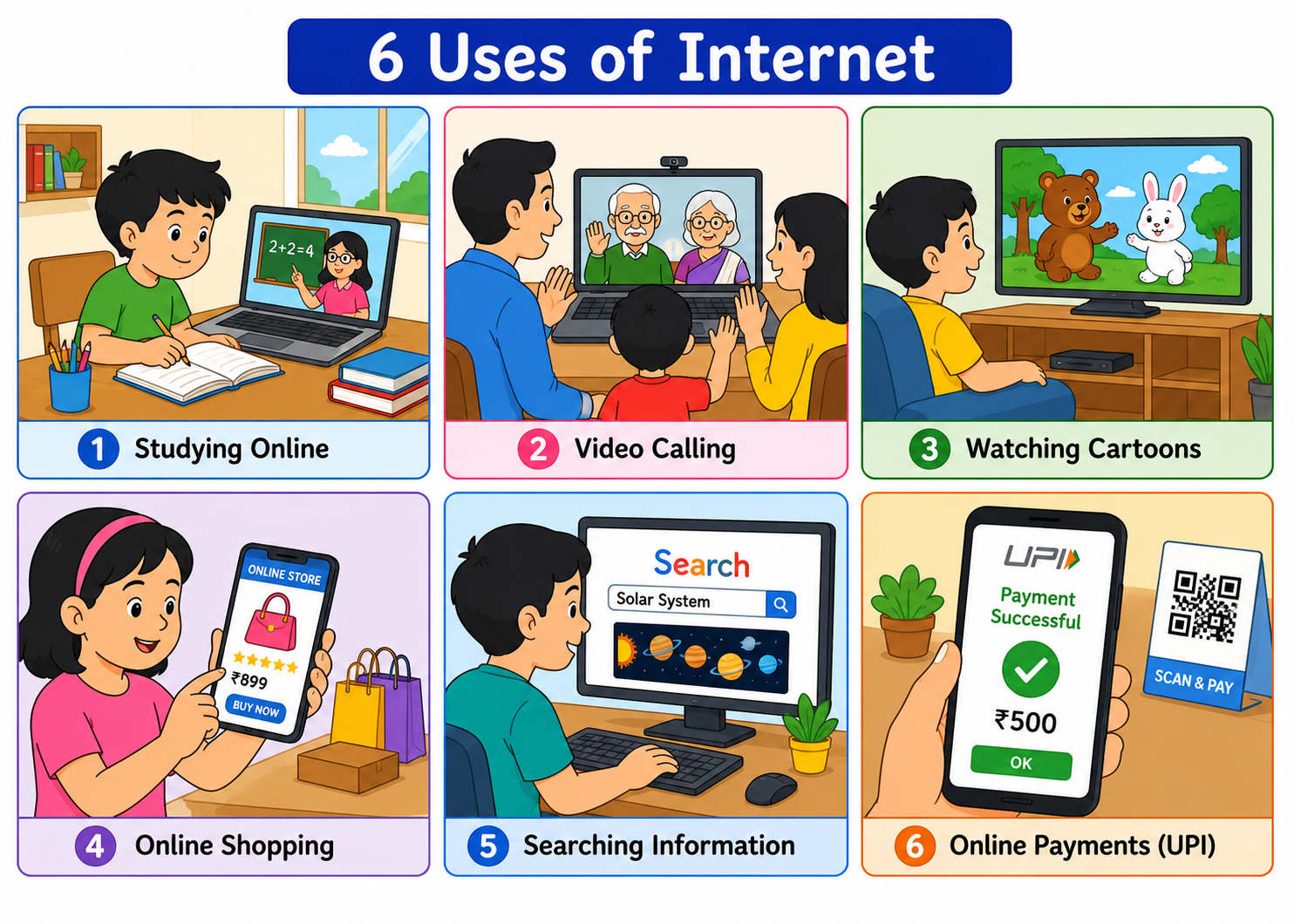
The Internet is used for many things in our daily life. Here are the most important uses:
| Use | What We Do | Indian Example |
|---|---|---|
| Learning / Education | Study online, watch educational videos, read e-books, attend online classes | Ravi watches Maths videos on DIKSHA app. Meena attends online tuition on Zoom. |
| Communication | Send emails, make video calls, chat with friends and family | Sita video calls her grandparents in Kerala using WhatsApp. |
| Entertainment | Watch cartoons and movies, listen to music, play online games | Arjun watches Chhota Bheem on YouTube. Meena plays games on her tablet. |
| Shopping | Buy things online — books, clothes, toys, groceries | Sita's mother orders groceries from BigBasket. Ravi's father buys books from Amazon. |
| Information / Searching | Search for any information — homework answers, news, recipes, places | Arjun searches "planets in solar system" on Google for his school project. |
| Banking / Payments | Pay bills, send money, check bank balance using online banking and UPI | Meena's father pays the electricity bill using Google Pay (UPI). Sita's mother sends money using PhonePe. |
Things We Need to Use the Internet
To use the Internet, we need a few things:
| What We Need | Why We Need It | Examples |
|---|---|---|
| A Device | We need a device to access the Internet | Computer, laptop, tablet, smartphone |
| Internet Connection | The device must be connected to the Internet through WiFi or mobile data | WiFi router at home, Jio/Airtel mobile data, broadband cable |
| Web Browser | A software program that helps us open websites and search for information | Google Chrome, Mozilla Firefox, Microsoft Edge, Safari |
When Ravi wants to search for "Indian festivals" on the Internet, he:
1. Opens his laptop (device)
2. Connects to the WiFi at home (Internet connection)
3. Opens Google Chrome (web browser)
4. Types "Indian festivals" in the search bar and presses Enter
Now he can see many websites with information about Indian festivals!
Internet Safety for Children
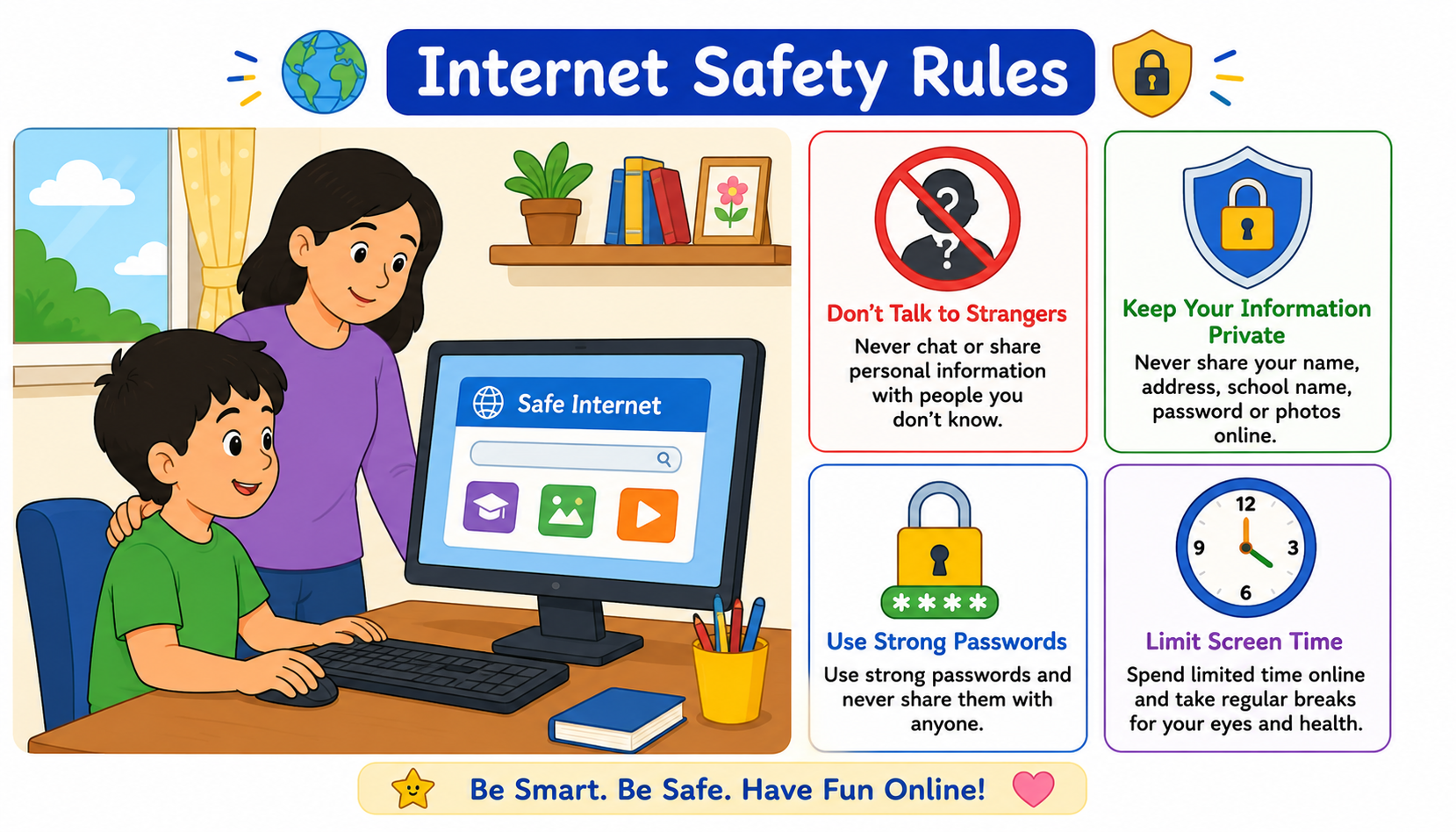
The Internet is very useful, but it can also be dangerous if we are not careful. Just like we follow safety rules on the road, we must follow safety rules on the Internet too.
| Safety Rule | Why It Is Important |
|---|---|
| Never share personal information online (name, address, phone number, school name, photos) | Bad people can misuse your personal information to harm you or your family |
| Never talk to strangers online | Not everyone on the Internet is who they say they are. Some people pretend to be children but are actually adults with bad intentions |
| Tell your parents or teacher if you see something scary or bad | Adults can help you and protect you. Never keep it a secret. |
| Never download unknown files or click on strange links | They may contain viruses that can damage your computer or steal information |
| Use the Internet for limited time only | Too much screen time is bad for your eyes and health. Take breaks every 30 minutes. |
Advantages and Disadvantages of the Internet
| Advantages (Good Things) | Disadvantages (Bad Things) |
|---|---|
| We can learn new things anytime, anywhere | Too much screen time is bad for eyes and health |
| We can talk to family and friends far away | Strangers can try to talk to children online |
| We can find information about anything in seconds | Not all information on the Internet is true |
| We can shop from home without going to a market | People can get addicted to games and videos |
| We can pay bills and send money easily (UPI) | Viruses can damage our computer |
| We can play games and watch videos for fun | Personal information can be stolen if we are not careful |
Internet in India — Did You Know?
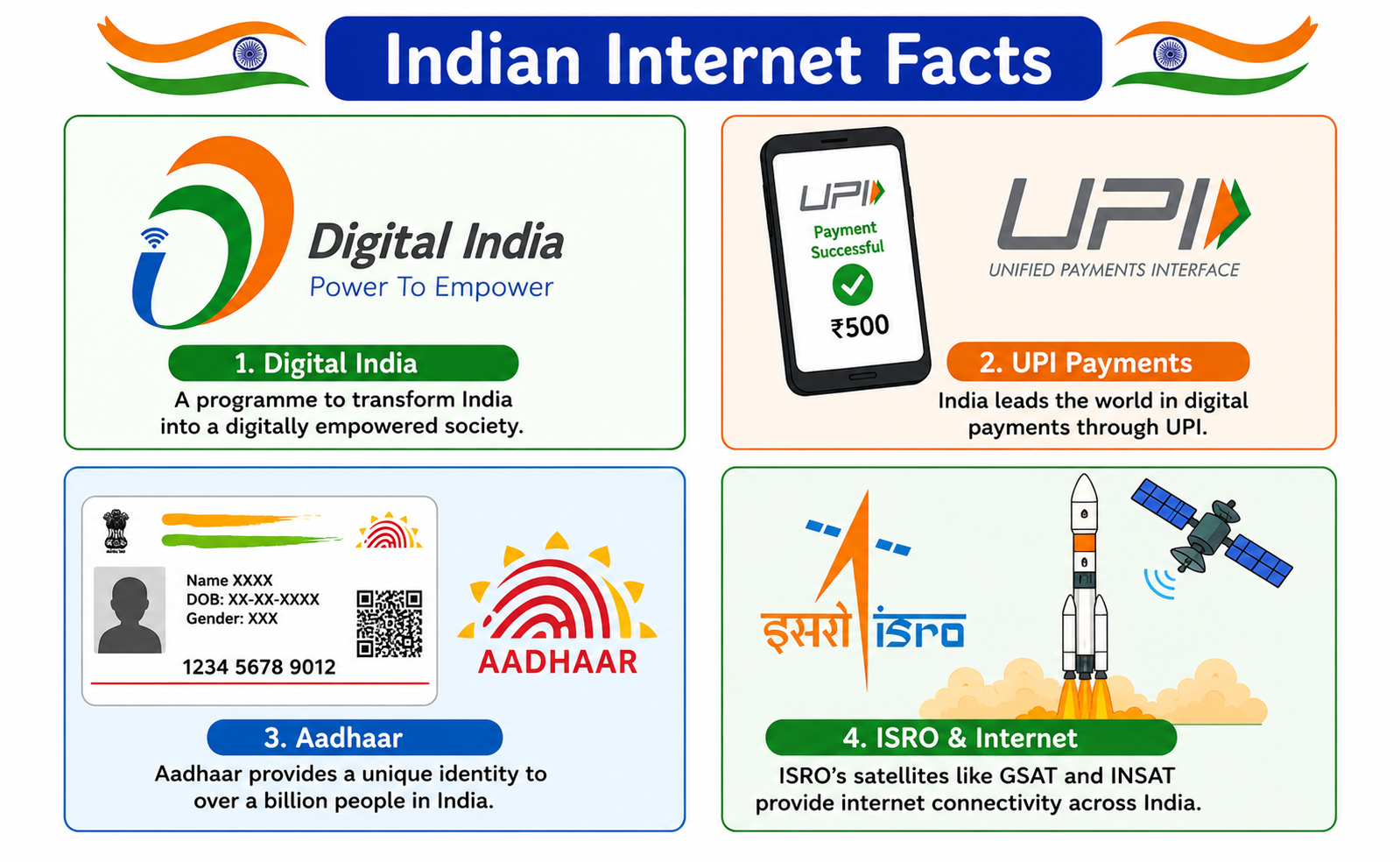
India is one of the largest users of the Internet in the world! Here are some amazing facts about the Internet in India:
| Indian Internet Fact | Details |
|---|---|
| Digital India | The Indian government started the "Digital India" programme to make sure every village and town in India has Internet access. The goal is to connect all Indians to the Internet. |
| UPI Payments | India invented UPI (Unified Payments Interface) — a system that lets people send and receive money instantly using apps like Google Pay, PhonePe, and Paytm. India does more UPI payments than any other country! |
| Aadhaar | Aadhaar is the world's largest digital identity system. Every Indian gets a unique 12-digit number. It uses the Internet to verify people's identity for bank accounts, SIM cards, and government services. |
| ISRO Website | ISRO (Indian Space Research Organisation) has a website where you can learn about India's space missions like Chandrayaan (Moon mission) and Mangalyaan (Mars mission). Visit: isro.gov.in |
Key Words
| Word | Meaning |
|---|---|
| Internet | A large network of computers connected to each other all around the world |
| Network | A group of computers connected together to share information |
| WiFi | A wireless way to connect to the Internet using radio signals |
| Web Browser | A software program used to open websites (e.g., Google Chrome, Firefox) |
| Website | A collection of pages on the Internet with information, pictures, or videos |
| Electronic mail — a way to send messages through the Internet | |
| Download | To copy a file from the Internet to your computer or phone |
| UPI | Unified Payments Interface — India's system for instant digital payments |
| Digital India | A government programme to bring Internet and digital services to all Indians |
| Virus | A harmful program that can damage your computer or steal information |
- The Internet is a network of computers connected all around the world.
- Computers connect to the Internet through wires, WiFi, or satellites.
- The Internet is used for learning, communication, entertainment, shopping, searching information, and banking.
- To use the Internet, we need a device, an Internet connection, and a web browser.
- Never share personal information online and never talk to strangers on the Internet.
- Always tell a parent or teacher if you see something bad or scary online.
- India's Digital India programme aims to connect every village to the Internet.
- India invented UPI for instant digital payments — used by crores of people daily.
- Too much Internet use is harmful — always take breaks and limit screen time.
Finished learning? Now test what you know!